
Key Takeaways: These Are the Best Basecamp Project Management Alternatives
- monday.com — Intuitive visual project management tool for small to mid-sized teams. Start a 14-day free trial of the Pro plan.
- ClickUp — Highly customizable all-in-one workspace with a generous free plan. Get the Business plan with a 30-day money-back guarantee.
- Asana — Structured team collaboration and task management tool. Sign up for a free trial of the Advanced plan.
- Notion — Best for integrated docs and project management. Get a 30-day free trial of the Business plan.
- Jira — Best for Agile and software development teams. Get Jira’s 30-day free trial of the Premium plan.
Facts & Expert Analysis About Basecamp Competitors:
- Basecamp’s simplicity can be limiting: As teams take on more complex projects with dependencies and cross-functional coordination, Basecamp’s simple structure may not provide enough control or visibility. This is where its competitors shine.
- Scalability determines long-term value: Platforms with tiered pricing and scalable features can better support growing teams than Basecamp’s flat pricing model.
- Reporting and analytics drive decisions: Advanced reporting tools in ClickUp, Asana or Jira give teams measurable insights into progress and performance, which Basecamp lacks natively.
Basecamp is an easy-to-use project-tracking and team communication tool. However, it lacks advanced features that can support complex workflows, resource allocation and project visualization. In this article, I’ll recommend some of the top project management tools that serve as the best Basecamp alternative tools for different types of teams.
Cloudwards’ Choice: monday.com
 Cloudwards' Choice: monday.com
After my hands-on experience testing dozens of services, I find that monday.com is one of the best business tools for managing projects of all kinds. Unlike Basecamp’s basic lists and message threads, monday.com’s color-coded boards allow you to customize workflows and gain visibility into every project phase. Try it yourself with a 14-day free trial of the Pro plan.
What Does Basecamp Lack and Why Look For an Alternative?
Basecamp’s main features offer simple project management capabilities, which is part of its appeal. However, this simplicity is also a limitation — Basecamp project management lacks advanced task dependencies, detailed reporting and analytics, customizable workflows and in-depth automation.
Teams managing multiple timelines or data-driven decision-making may quickly outgrow it. That’s why you might need a Basecamp alternative for complex workflows and cross-functional communication needs. Learn more about what we think of the tool and its best use case options in our Basecamp review.
The 5 Best Basecamp Alternatives Compared
| PM Tool: | Free Plan | Starting Price | Best For | USP | Limitations |
|---|---|---|---|---|---|
 |
Yes, up to 2 members | $12 per month (one-year plan) | Small to mid-sized teams | Easy-to-use, visual interface | Higher tiers can be pricey |
 |
Yes, unlimited users | $7 per month (one-year plan) | Teams that require detailed customization | Granular control & comprehensive features | Takes time to set up |
 |
Yes, up to 2 users | $10.99 per month (one-year plan) | Cross-functional teams | Structured & user-friendly | Advanced features only on higher tiers |
 |
Yes, unlimited users | $10 per month (one-year plan) | Documentation-focused teams | Versatile & customizable | Takes time to set up |
 |
Yes, up to 10 users | $9.05 per month (one-month plan) | Agile & software development teams | Highly customizable Agile capabilities | Involves a learning curve |
Methodology: Lab Data & Hands-On Testing
I tested each tool with real-world use cases to see how they compare to Basecamp and the value they add. I considered the different features and how easy they were to use. I also assessed the pricing and scalability to ensure long-term value.
Feature Comparison Overview
While Basecamp’s key features focus on communication and task lists, its top competitors include multiple views, task hierarchies and timelines, custom fields, advanced automation and detailed dashboards and reports.
| PM Tool: | View Types | Time Tracking | Custom Fields | Dashboards | Real-Time Collab |
|---|---|---|---|---|---|
|
12: list, board, timeline, calendar, etc. | Yes (Pro plan) | |||
|
16: board, timeline, Gantt, map, etc. | Yes (limited on lower tiers) | |||
|
9: board, list, calendar, etc. | Yes (Advanced plan) | |||
|
7: list, board, calendar, timeline, gallery, table, chart | No | |||
|
7: list, matrix, board, timeline, calendar, backlog, summary | Yes |
Platform & Administration
My competitor analysis reveals that tools like monday.com and ClickUp offer significantly more granular permission settings and workspace hierarchy controls than Basecamp.
| PM Tool: | Apps | Storage | File Management | Permissions |
|---|---|---|---|---|
|
Web |
500MB-1000GB | Native attachment storage and workspace/board-level file views | Role/board view permissions available (admins, members, guests) |
|
Web |
60MB-unlimited | Attachments stored in workspace; docs, tasks and chat accept uploads | Per-location permissions (spaces > folders > lists > tasks/docs) on paid plans; supports guests/limited members |
|
Web |
Unlimited (100MB max per file) | Attach files to tasks and comments | Project/organization-level permissions; more granular controls on paid tiers |
|
Web |
5MB-unlimited | File uploads, embeds, cloud drive integrations, page attachments | Page-level, workspace-level, team-level role permissions |
|
Web |
2GB-unlimited | Attachments can be added via UI or API; configurable attachment size/thumbnail settings | Permission schemes control rights to create/delete/view attachments |
Integration & Automations
These alternative tools outperform Basecamp by offering native automation rules and deeper integrations with tools like Slack, Google Calendar, Microsoft Teams and Salesforce.
| PM Tool: | Integration Count | Top Integrations | Native vs Third-Party | Automation Features |
|---|---|---|---|---|
|
200+ | Slack, Gmail/Outlook, Teams, Google Drive, GitLab, Mailchimp, Excel/Sheets | Native & third-party integrations | Built-in automation builder with multi-step triggers and cross-board actions (e.g., status changes, date triggers) |
|
1,000+ | Slack, Figma, GitHub, Sentry, Google Workspace | Native & third-party integrations | Powerful automations with custom triggers and conditional workflow actions; more generous limits on paid plans |
|
200+ native integrations & thousands via Zapier | Slack, Teams, Salesforce, Zoom, Google Drive | Mostly third-party | Rules-based automation with triggers (status/date) and actions (task creation/assignment) |
|
50+ native & thousands via API/Zapier | Google Drive, Slack, GitHub, Gmail | Mostly third-party | Basic native automations (database triggers, status changes) and advanced automation via third-party tools |
|
2,000+ | GitHub, Slack, Confluence, Jenkins, Miro, Zendesk | Mostly third-party | Powerful automation engine: triggers > conditions > actions for issue transitions, notifications, field updates; templates available |
Usability & Performance Assessment
Basecamp stands out for its ease of use, but alternatives like monday.com and Asana match this simplicity while also providing more project management features. However, tools like Notion and Jira involve a steeper learning curve for advanced functionality.
| PM Tool: | Learning Curve | Interface Design | Mobile Experience | Customer Support |
|---|---|---|---|---|
|
Easy | Visual, color-coded, intuitive | Very good | 24/7 chat, extensive docs |
|
Intermediate | Modern & highly customizable | Good | Chat, email support |
|
Easy-intermediate | Structured & intuitive | Good | Community, live chat |
|
Intermediate-difficult | Flexible but complex | Good | Email, live sessions, community forum |
|
Difficult | Flexible but dense | Good but limited | Documentation, community forum, paid support plan |
What Are the Top 5 Basecamp Competitors & Alternatives?
The top Basecamp alternatives include some of the best project management software, such as monday.com, ClickUp, Asana, Notion and Jira. Below, I’ll compare each of these tools individually to help you find the right tool for your needs.
1. monday.com — Intuitive Visual Project Management Solution for Small to Mid-Sized Teams
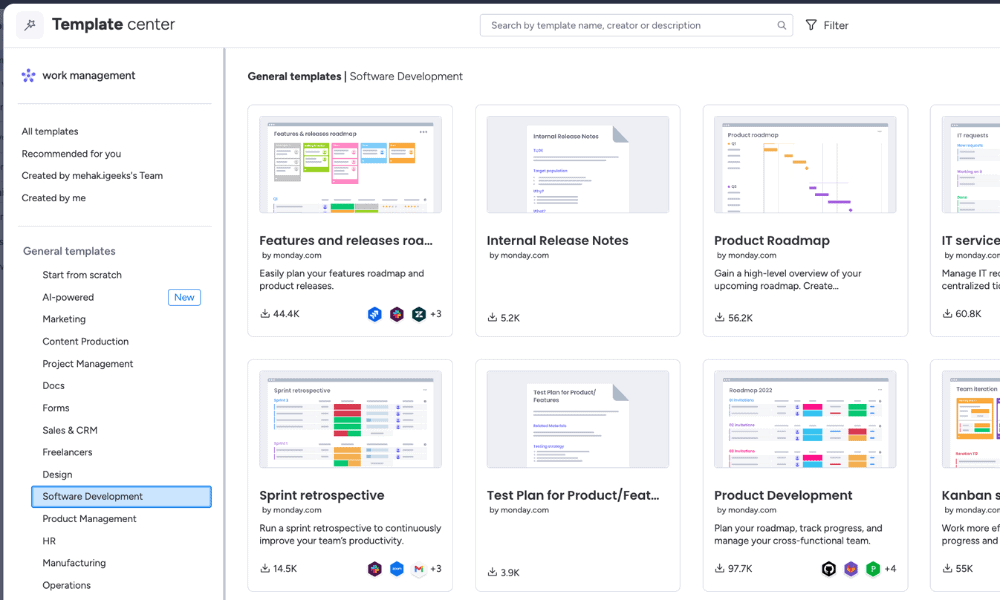
Basecamp vs monday.com
monday.com is a visual project management platform with a highly intuitive interface. It lets teams see project progress at a glance across color-coded boards, timelines, calendars and dashboards. While Basecamp’s main view is limited to simple to-dos, monday.com enables rich visual workflows so teams can scale and adapt processes without sacrificing clarity.
When to Choose monday.com
Choose monday.com if you need visual clarity along with project planning that goes beyond simple task lists. It’s great for cross-team coordination and automated workflows, ideal if your work involves multiple deliverables and stakeholders. Read more in our monday.com review or start a 14-day free trial of the Pro plan to explore its powerful features.
- Maximum users: 2
- Minimum users: 3; All prices per user
- Minimum users: 3; All prices per user
More plans
- Minimum users: 3; All prices per user
- Enterprise-level features.
2. ClickUp — Highly Customizable Free Basecamp Alternative
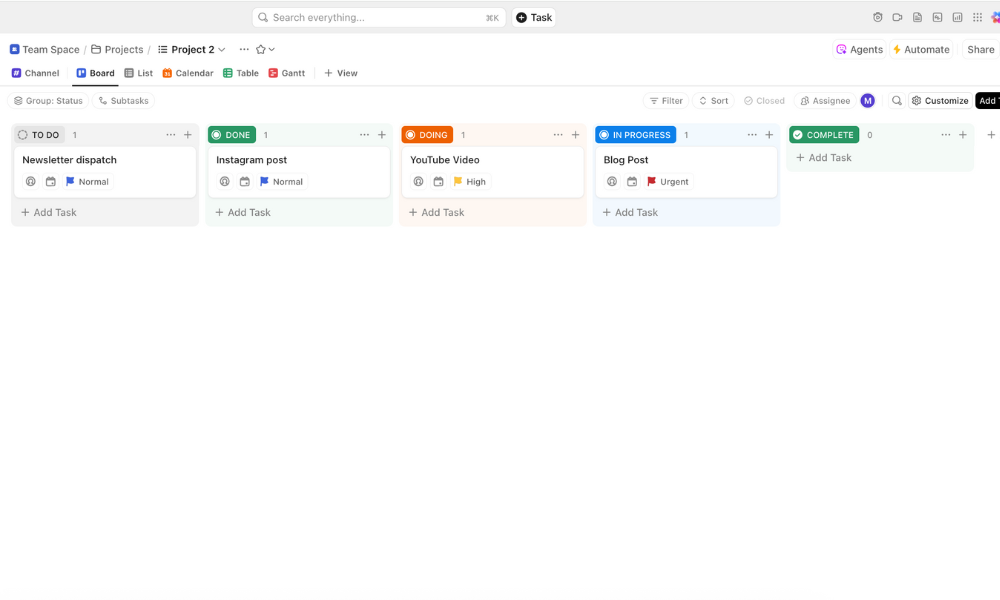
ClickUp vs Basecamp
While Basecamp focuses on simplicity and team communication, ClickUp offers deep customization, hierarchical task management and advanced workflow automation. It’s ideal for teams with evolving needs and complex project structures.
ClickUp’s free plan surpasses Basecamp’s by allowing unlimited tasks and multiple views, like list, board and calendar, making it the best Basecamp free alternative — and the best free project management tool overall.
When to Choose ClickUp
Choose ClickUp when you need a scalable project management tool that evolves with your team’s complexity and growth. It adapts to varied workflows and detailed timelines, as explained in our ClickUp review. However, some teams may find ClickUp’s depth initially overwhelming. Try out ClickUp’s free plan or the Unlimited plan with a 30-day money-back guarantee.
- Basic functionality with some limitations
- All prices per user
- All prices per user
3. Asana — Structured Task Management and Team Collaboration Software
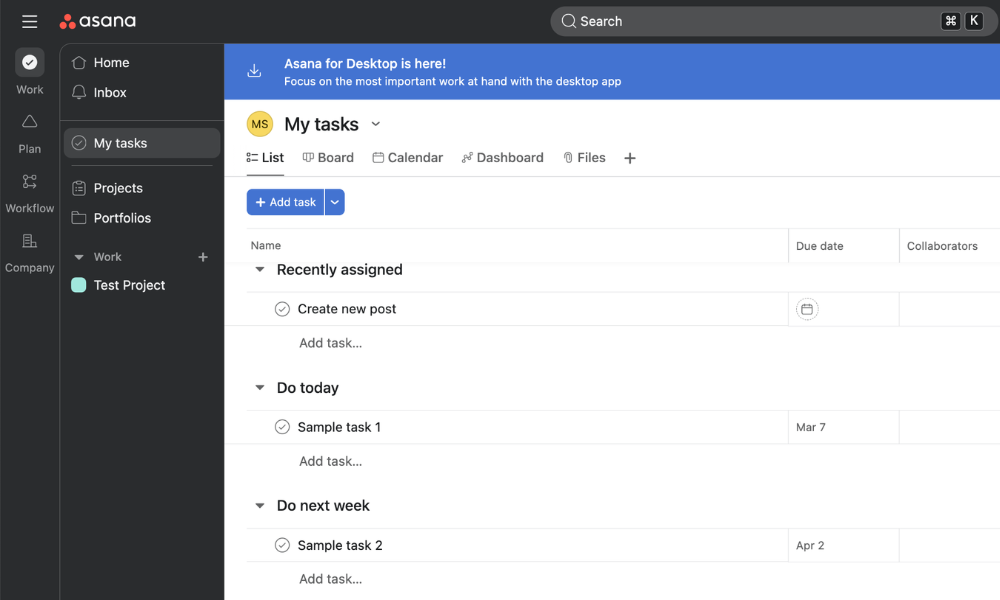
Basecamp vs Asana
Asana is a robust work management platform built to help teams coordinate tasks and goals with clarity. While Basecamp emphasizes straightforward communication and basic task tracking, Asana provides detailed task hierarchies and built-in reporting dashboards for deeper insight into project progress and team productivity. Read more in our Asana review.
When to Choose Asana
I recommend Asana for teams that prefer easy collaboration; simple, structured planning; and deep workflow visibility through custom reports. It has comprehensive features like task dependencies, timelines, automations and dashboards, offering a much richer experience than Basecamp. Experience it for yourself with a 30-day free trial of the Advanced plan.
- Up to 10 users
- Price is per user. unlimited users, expanded features
- Price is per user. unlimited users, even more features
- Custom pricing, advanced security features
4. Notion — Best for Integrated Docs and Project Management
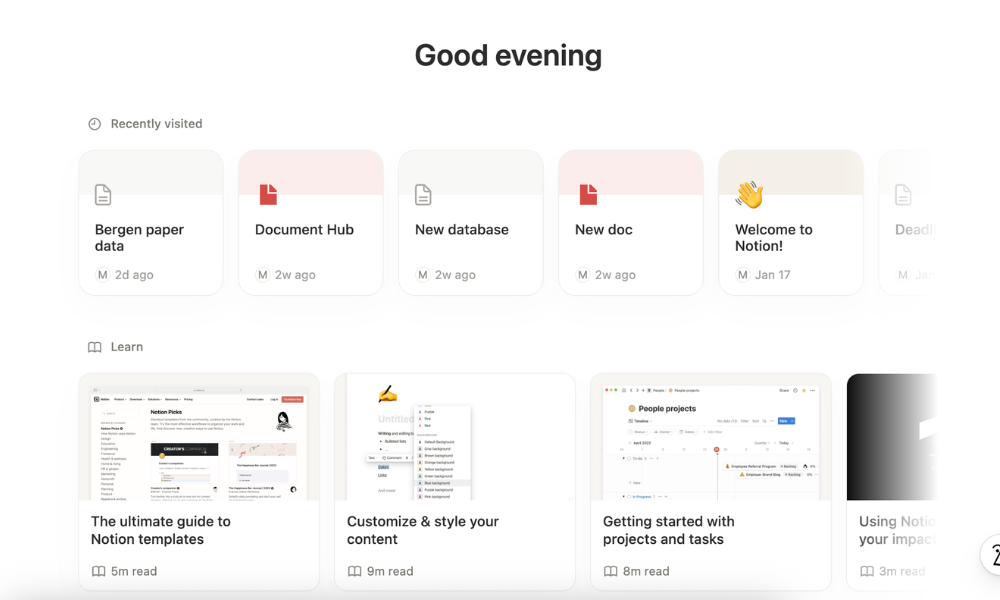
Basecamp vs Notion
Notion functions as a versatile workspace that blends project management with documentation and knowledge organization. It allows teams to build custom relational databases, wikis and project boards tailored to their workflows. As explained in our Notion review, you can structure it exactly how you want to centralize all your workflows and data.
When to Choose Notion
Notion is a solid choice for teams that require lots of flexibility. You are not limited to a fixed project structure but can build boards, databases, doc hubs and knowledgebases tailored to your process. This makes it especially appealing for creative, documentation-heavy or hybrid teams. Get a 30-day free trial of Notion’s Business plan.
- 1 user only, Up to five guests, 5MB file upload limit
- 1 user only, Unlimited guests, Unlimited file uploads, Version history
- Unlimited users, Unlocks workspace, User permission settings
- Advanced security features
5. Jira — Best for Agile & Software Development Teams
Jira vs Basecamp
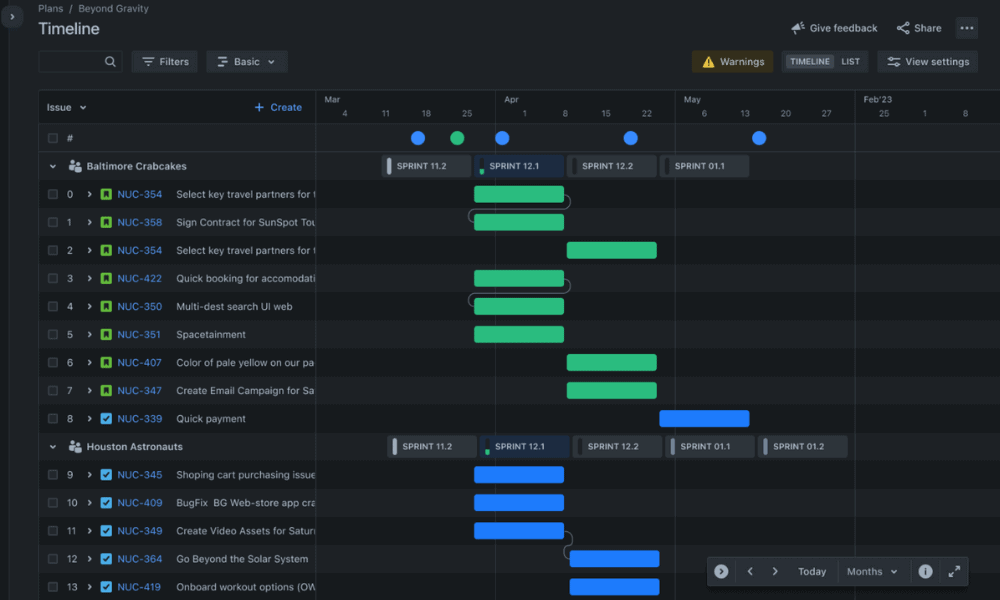
Jira excels as a robust project management and issue-tracking platform designed especially for Agile teams and technical workflows. While Basecamp centers on basic task lists, message boards and file sharing, Jira brings deep customization, sprint planning, backlog management and kanban and scrum boards. Read our Jira review for more details.
When to Choose Jira
Jira is the best tool for teams that need deep project structure, Agile workflows and detailed tracking. It supports technical workflows with robust sprint planning, issue tracking, advanced reporting and built-in roadmap views for long-term project planning and dependency tracking. Start a 30-day free trial of the Premium plan.
- Max. 10 users. unlimited boards, reports and insights; backlog; basic roadmaps; 2GB of storage; community support
- Monthly pricing starts from 11 users, pricing changes based on the number of users. Monthly pricing changes with teams over 110. Annual pricing shown is for 1-10 users
- Monthly pricing starts from 11 users, pricing changes based on the number of users. Monthly pricing changes with teams over 114. Annual pricing shown is for 1-10 users
- Enterprise plan pricing is available when you enter 801 or more users above; User tier: 801 – 1,000
How to Choose an Alternative to Basecamp
When selecting a tool, it’s important to consider your project workflow and your team’s growth needs. Compare the different features and prices to find the best value. I go over some specific features to look for below.
A Step-by-Step Guide to Migrating from Basecamp
Once you’ve chosen the best Basecamp alternative for your needs, you’ll have to transition your projects, files and team workflows to the new tool. I’ve highlighted some key steps below to guide you.
- Data audit and cleanup: Review all active and archived projects in Basecamp. Remove outdated tasks, duplicate files and completed message threads that no longer add value. Clarify task ownership, update incomplete to-dos and organize files into logical folders so you transfer only relevant data to the new system.
- Export strategy (native or CSV): Decide whether to use Basecamp’s built-in export feature (which provides full project archives) or export specific data like tasks and to-dos via CSV files for structured import into your new tool.
- Team onboarding and training: Introduce the new tool to your team with a clear rollout plan. Provide short walkthrough sessions, share quick-start guides and perhaps migrate just one pilot project first to help the team adjust.
Final Thoughts
While Basecamp remains a solid choice for lightweight project tracking and communication, growing teams can benefit from feature-rich alternatives like monday.com. Its visual workflows, automations, customizable dashboards and scalable pricing structure make it a great choice for most teams. I recommend starting monday.com’s 14-day free trial of the Pro plan.
Do you have any concerns I didn’t touch on in this article? Have you tried any of the tools I recommend? Why are you looking for a Basecamp alternative? Please share in the comments below, and thank you for reading.
FAQ: The Best Basecamp Alternative for Project Management
-
ClickUp is a superior tool if you need an all-in-one project management workspace with granular customization. It’s ideal for large teams or complex workflows. Basecamp is much simpler and easier to use, which makes it well suited for smaller teams or individuals.
-
Many great project management tools are similar to Basecamp. Top choices include monday.com and ClickUp, which offer more features and customization at competitive price points.
-
Microsoft Project was an enterprise-grade alternative to Basecamp. However, its online version has now transitioned into Microsoft Planner, offering a very simple but unified online work management experience for Microsoft users.
The post Best Basecamp Alternative: 5 Project Management Competitors in 2026 appeared first on Cloudwards.